Vector DB Presentation Topics
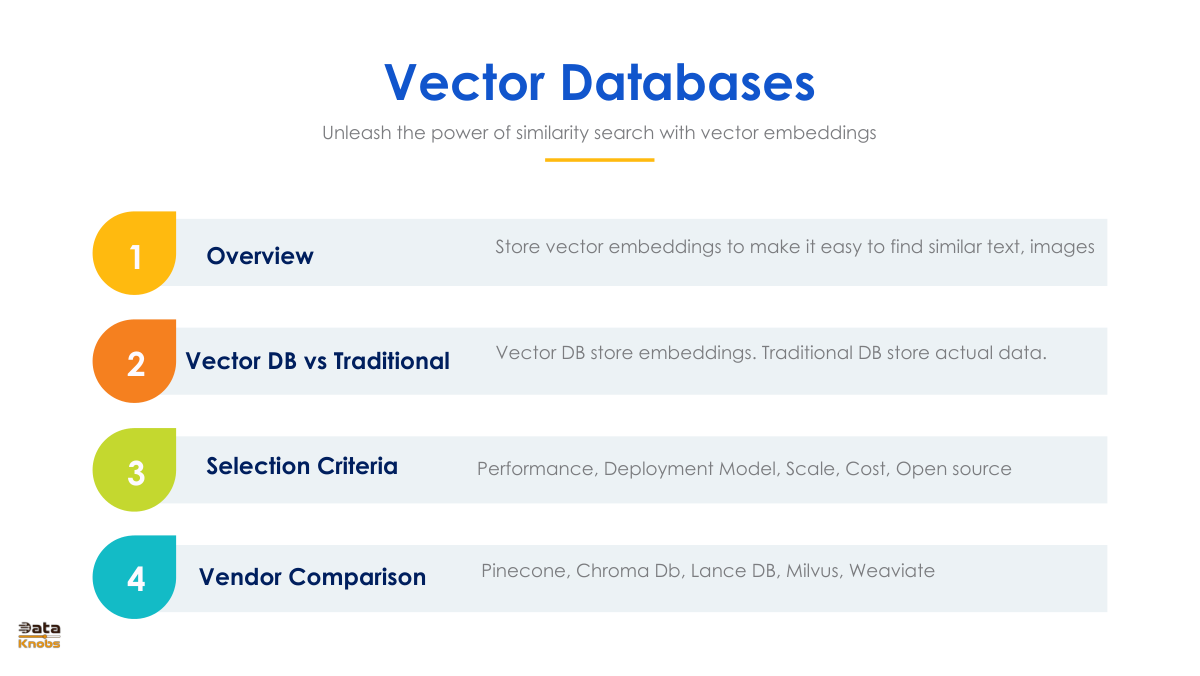
vector-db-slides


Vector Database Overview

A vector database is specifically designed to store, index, and query high-dimensional data represented as vectors. Vectors often originate from machine learning models as embeddings — compressed representations of data such as text, images, and audio. These embeddings capture semantic information, making vector databases ideal for use cases like recommendation systems, natural language processing, and similarity searches.

How Vector Databases Differ from Traditional and NoSQL Databases

Aspect Traditional Relational Databases NoSQL Databases Vector Databases
Data Storage Stores structured data using rows and tables Stores semi-structured or unstructured data such as JSON, key-value pairs, graphs Stores high-dimensional vector embeddings
Querying SQL-based querying for structured data APIs, non-SQL querying languages (e.g., MongoDB Query Language) Focuses on similarity-based querying using k-Nearest Neighbors (kNN) or Approximate Nearest Neighbor (ANN)
Indexing Indexing is often done on primary/foreign keys and numeric or text columns Indexing depends on the data model (e.g., key-value, graph) Specialized indexing methods like HNSW, PQ, or IVFPQ optimized for vector similarity search
Use Cases Transactional systems, reporting, and analytics Flexible use cases such as document storage, graph analysis, and streaming data Semantic searches, recommendation systems, computer vision, NLP, bioinformatics

How to Select a Vector Database

When choosing a vector database, here are some key considerations to ensure it suits your needs:

  • Performance: Look for databases with high-speed similarity searches and efficient indexing techniques (e.g., HNSW or IVF).
  • Scalability: Ensure it can handle large-scale vector data (e.g., millions or billions of embeddings).
  • Integration: Check for APIs, SDKs, or integrations with your existing tech stack and machine learning platforms.
  • Support for Hybrid Queries: If necessary, opt for databases that allow mixing metadata queries with vector similarity searches.
  • Ease of Use: Evaluate the simplicity of installation, configuration, and maintenance.
  • Community and Support: Strong documentation, active community, and support are crucial for seamless integration and troubleshooting.
  • Cost: Assess pricing models (open-source vs. commercial) and evaluate whether it fits your budget.

Popular Vector Database Vendors

Vendor Description
Milvus An open-source vector database designed for massive-scale vector similarity search and analytics. It supports integrations with machine learning frameworks like TensorFlow and PyTorch.
Pinecone A managed vector database service offering high availability, scalability, and low-latency search for vector embeddings.
Weaviate An open-source vector search engine and database that supports hybrid searches (vector + metadata) with built-in machine learning modules.
Vespa A scalable, open-source search and data processing engine used for handling both vector and traditional search queries.
2-how-vector-databases-work-i    Challenges-frequent-update    Criteria-to-select-vector-db    Crud Operations For Vector DB    Tutorials    Uses-of-vector-db    Vector-db-anti-patterns    Vector-db-applications    Vector-db-crud    Vector-db-dimensions   

Dataknobs Blog

Showcase: 10 Production Use Cases

10 Use Cases Built By Dataknobs

Dataknobs delivers real, shipped outcomes across finance, healthcare, real estate, e‑commerce, and more—powered by GenAI, Agentic workflows, and classic ML. Explore detailed walk‑throughs of projects like Earnings Call Insights, E‑commerce Analytics with GenAI, Financial Planner AI, Kreatebots, Kreate Websites, Kreate CMS, Travel Agent Website, and Real Estate Agent tools.

Data Product Approach

Why Build Data Products

Companies should build data products because they transform raw data into actionable, reusable assets that directly drive business outcomes. Instead of treating data as a byproduct of operations, a data product approach emphasizes usability, governance, and value creation. Ultimately, they turn data from a cost center into a growth engine, unlocking compounding value across every function of the enterprise.

AI Agent for Business Analysis

Analyze reports, dashboard and determine To-do

Our structured‑data analysis agent connects to CSVs, SQL, and APIs; auto‑detects schemas; and standardizes formats. It finds trends, anomalies, correlations, and revenue opportunities using statistics, heuristics, and LLM reasoning. The output is crisp: prioritized insights and an action‑ready To‑Do list for operators and analysts.

AI Agent Tutorial

Agent AI Tutorial

Dive into slides and a hands‑on guide to agentic systems—perception, planning, memory, and action. Learn how agents coordinate tools, adapt via feedback, and make decisions in dynamic environments for automation, assistants, and robotics.

Build Data Products

How Dataknobs help in building data products

GenAI and Agentic AI accelerate data‑product development: generate synthetic data, enrich datasets, summarize and reason over large corpora, and automate reporting. Use them to detect anomalies, surface drivers, and power predictive models—while keeping humans in the loop for control and safety.

KreateHub

Create New knowledge with Prompt library

KreateHub turns prompts into reusable knowledge assets—experiment, track variants, and compose chains that transform raw data into decisions. It’s your workspace for rapid iteration, governance, and measurable impact.

Build Budget Plan for GenAI

CIO Guide to create GenAI Budget for 2025

A pragmatic playbook for CIOs/CTOs: scope the stack, forecast usage, model costs, and sequence investments across infra, safety, and business use cases. Apply the framework to IT first, then scale to enterprise functions.

RAG for Unstructured & Structured Data

RAG Use Cases and Implementation

Explore practical RAG patterns: unstructured corpora, tabular/SQL retrieval, and guardrails for accuracy and compliance. Implementation notes included.

Why knobs matter

Knobs are levers using which you manage output

The Drivetrain approach frames product building in four steps; “knobs” are the controllable inputs that move outcomes. Design clear metrics, expose the right levers, and iterate—control leads to compounding impact.

Our Products

KreateBots

  • Ready-to-use front-end—configure in minutes
  • Admin dashboard for full chatbot control
  • Integrated prompt management system
  • Personalization and memory modules
  • Conversation tracking and analytics
  • Continuous feedback learning loop
  • Deploy across GCP, Azure, or AWS
  • Add Retrieval-Augmented Generation (RAG) in seconds
  • Auto-generate FAQs for user queries
  • KreateWebsites

  • Build SEO-optimized sites powered by LLMs
  • Host on Azure, GCP, or AWS
  • Intelligent AI website designer
  • Agent-assisted website generation
  • End-to-end content automation
  • Content management for AI-driven websites
  • Available as SaaS or managed solution
  • Listed on Azure Marketplace
  • Kreate CMS

  • Purpose-built CMS for AI content pipelines
  • Track provenance for AI vs human edits
  • Monitor lineage and version history
  • Identify all pages using specific content
  • Remove or update AI-generated assets safely
  • Generate Slides

  • Instant slide decks from natural language prompts
  • Convert slides into interactive webpages
  • Optimize presentation pages for SEO
  • Content Compass

  • Auto-generate articles and blogs
  • Create and embed matching visuals
  • Link related topics for SEO ranking
  • AI-driven topic and content recommendations